


Antivirus Aegis: Junk Cleaner
3.843.00 Reviews
App Specs
- Version
- 1.0.0.4
- Updated On
- License
- Free
- Downloads
- 5,000,000+
- Developer
- Jockey APP
- Categories
- Tools
- Platform
- Android
Screenshots
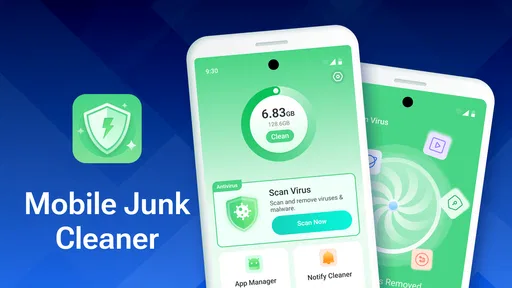
 Analysis by AppCompare
Antivirus Aegis: Junk Cleaner is aimed at people who want a few phone-maintenance jobs gathered in one place, rather than a complicated toolbox they need to manage. Its appeal is easy to understand: clear away unwanted files, look for security threats, and check on device performance without needing specialist knowledge. I see it as a convenient starting point for routine upkeep, though I would still treat any cleaner or antivirus app as one part of a sensible phone-care routine, not a cure-all.
What a useful cleanup routine looks like
A cleaner is most helpful when you use it to make a specific decision, not when you automatically delete everything it finds. Before running a cleanup, I would close apps I no longer need and think about whether I have recently downloaded files I want to keep. Then I would review the results carefully, especially if a category includes media or other files that could be personal rather than disposable. That small pause matters: freeing space is useful, but recovering something deleted by mistake can be much harder.
This is especially relevant for anyone who takes lots of photos or receives videos through messaging apps. A practical routine is to first back up anything important, then use the cleaner to identify what can safely go. If the phone is still low on space afterward, the bigger issue may be a growing photo library or large downloads, not temporary clutter. In that case, moving or deleting selected personal files is more effective than repeating scans and expecting them to solve everything.
When the security side is worth your attention
The security tools are most useful when they encourage careful habits, rather than when they create a sense that every risk has disappeared. If an alert appears, I would read what it says and consider what I installed or opened recently before taking action. For everyday protection, I would also keep Android up to date, install apps from sources I trust, and avoid tapping unexpected links. Those steps remain important even with a security app running.
It is also worth asking what you want from antivirus protection. If you mainly want a straightforward extra check alongside ordinary caution, a simple tool may suit you. If you need detailed controls, security reports, or a more configurable approach, compare specialist security apps before settling on a bundled cleaner. The right choice depends less on the word “antivirus” on the screen and more on whether its alerts and controls match the way you use your phone.
A realistic day-to-day use
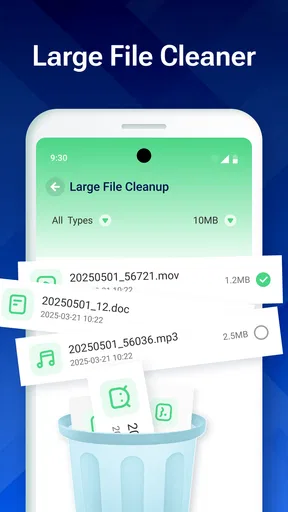
Picture a phone that starts warning about limited storage just before you leave home. You have a few minutes, not an afternoon to sort through every folder. I would use a cleaner like this to get an overview, remove only items I recognize as unnecessary, and postpone anything ambiguous until I have time to check it. Later, I would review large videos and old downloads directly, where I can judge their value myself. That two-step approach is safer than treating a single scan as permission to erase broadly.
The same measured approach helps with performance concerns. If an app feels slow, a cleanup might help when storage is genuinely crowded, but it will not necessarily fix a weak connection, an app bug, or an older device struggling with demanding software. I would note which problem I am trying to solve before using a maintenance tool. That makes it easier to tell whether the action helped and avoids repeatedly running optimizers without a clear reason.
Worth Reading Before You Choose

Flipboard Shows What News Apps Must Do Beyond the Feed

Switching to Android Auto Means Rethinking Your Driving Routine

Google Calendar Makes a Crowded Week Easier to Manage

Ludo King Makes the Most of the Minutes Between Plans

Baby Panda World Brings Quick Play to Modern Phones, but Its Game Library Feels Busy

ESPN’s Live Game View Makes Following Close Games Easier
Ever felt like your phone was a little sluggish, possibly weighed down by all the clutter and threats lurking in the corners of your digital life? Well, that's where Antivirus Aegis: Junk Cleaner steps in, acting like a digital broom to sweep away the unnecessary and shield you from the bad guys. Let me walk you through my experience with this app.
Getting Started with Antivirus Aegis
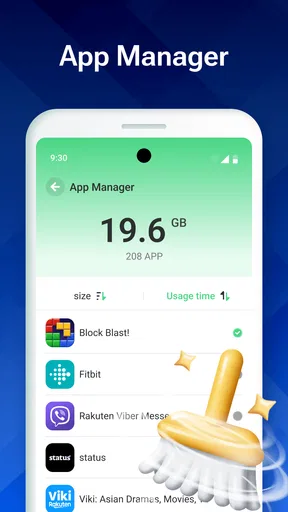
First things first, downloading and setting up Antivirus Aegis: Junk Cleaner is a breeze. You don't need to be a tech wizard to get it going. A few taps here and there, and you're on your way to a cleaner, safer device. The app's interface is intuitive, with a straightforward layout that doesn't overwhelm you with too much information at once. It's like it knows you're there to get things done, not to play "find the feature."
The Cleanup Crew
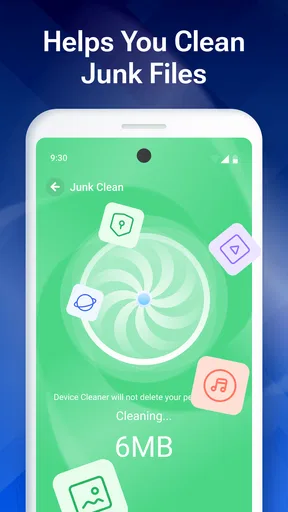
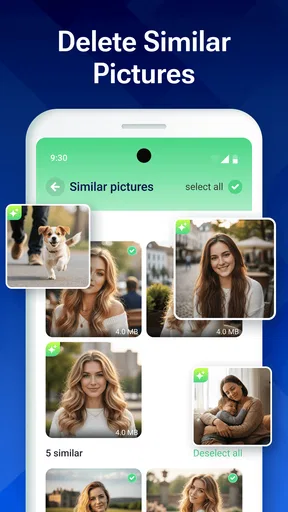
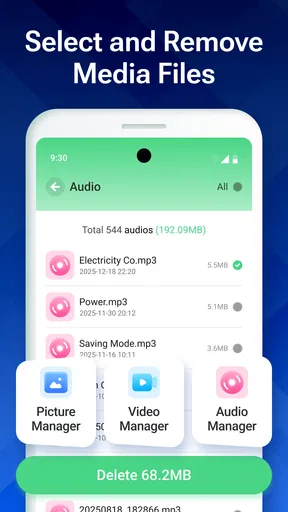
One of the standout features for me is its junk cleaning capability. You'd be surprised at how much digital litter accumulates over time—temporary files, cache, unused APKs. I ran a quick scan and, lo and behold, it found heaps of junk! With just a tap, it all vanished, freeing up unexpected storage space. It's like giving your device a deep clean without the elbow grease.
Fortress of Security
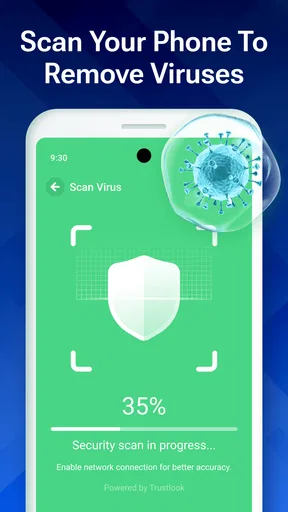
Now, let's talk about security. In today's world, having a good antivirus is like having a digital bodyguard. Antivirus Aegis offers real-time protection that runs in the background, ensuring that malicious threats are kept at bay. During my trial, I noticed the app was proactive, alerting me of potential threats before they could even think about causing trouble. It’s comforting to know that it's always working, even when you're not.
Additional Features
But wait, there's more! The app also comes with a battery saver feature and a CPU cooler, which are nifty additions. These tools help optimize your device's performance, making sure it runs smoothly and efficiently, like a well-oiled machine. Honestly, it's like having a Swiss army knife for your phone.
"The app is like a digital Swiss army knife for your phone."
How it fits a phone-maintenance toolkit
The usual alternatives are the storage controls already built into Android, a dedicated file manager, and a security app focused mainly on threat detection. Android’s own storage view can be a better choice when I want to inspect categories and make decisions without adding another maintenance tool. A file manager is more direct for sorting folders and moving personal files. A dedicated security product may suit someone who values security settings and reporting above cleanup. Antivirus Aegis brings several kinds of maintenance together, which is convenient, but that breadth does not automatically make it the strongest option for every individual job.
For me, the trade-off is simplicity versus control. A bundled tool can save time when I want to check clutter and security in one session. The downside is that people who like to understand every setting may prefer separate apps with narrower, more transparent roles. I would choose this app for a quick, approachable routine, not as a replacement for careful file management or a reason to ignore Android’s built-in tools.
What to expect from the extra tools
The battery saver and CPU cooler make the app feel broader than a basic cleaner, but I would use them with modest expectations. A button that promises optimization cannot undo the physical limits of a phone or guarantee that every slowdown will disappear. If the device is warm because a demanding app is in use, closing or pausing that activity may be the more direct response. If battery life is the concern, checking which apps are using power in the phone’s own settings can help identify the cause rather than relying on a general maintenance action.
One useful habit is to avoid running every available tool just because it is there. Start with the issue you actually have: storage pressure, a security concern, or a device that seems unusually busy. Use the matching function, then see whether the problem changes. This makes the app easier to judge and helps avoid the feeling that routine phone care requires constant scanning.
Who should choose it—and who should pass
I can see this fitting people who want a simple, free Android utility that combines cleanup and security checks. It is also a reasonable option for someone helping a less technical family member keep a phone organized, provided they explain that scan results should be reviewed before files are removed. Jockey APP is the developer, and the app is listed for Everyone, so its intended audience is broad rather than limited to specialist users.
On the other hand, I would skip it if I only need to remove a few known downloads; Android’s storage controls or a file manager are likely enough. It may also be the wrong fit for users who expect extensive configuration or prefer a dedicated security product with a more focused set of controls. The app is free, but “free” does not mean it should be installed without considering what tools you already have or whether you want another utility in your routine.
Availability and practical fit
Antivirus Aegis is a Tools app with an average rating of 3.8 from around 5,900 ratings, and it has passed 5 million installs. Those figures suggest that many people have tried it, while the rating leaves room for mixed experiences; I would read recent user feedback alongside my own needs rather than treating popularity as proof that it is ideal for every phone. It was released on September 19, 2025, and its current version is 1.0.0.4. The minimum operating system is Android 8.0, so checking compatibility before installing is a sensible first step.
Because the app’s tools can touch different parts of routine phone maintenance, I would take a moment during setup to understand what each screen is asking me to do. In particular, I would distinguish between an informational scan and an action that deletes or changes something. That simple check answers an important practical question: can I use it without handing over every decision? I would proceed only when I understand the prompt and am comfortable with the action.
Why You Might Love It
So, why should you consider adding this to your app collection? If you're like me and enjoy a seamless, clutter-free smartphone experience, Antivirus Aegis: Junk Cleaner is a no-brainer. It's easy to navigate, effective at what it does, and doesn't try to overcomplicate things. Plus, knowing that your device is safeguarded around the clock is a huge plus.
On the flip side, if you're looking for something with more advanced features or highly customizable settings, this might not be your top pick. But for the average user wanting efficiency and peace of mind, it checks all the right boxes.
Final Thoughts
In a world where our smartphones are practically extensions of ourselves, keeping them clean and secure is paramount. Antivirus Aegis: Junk Cleaner does a commendable job at both. It’s like having a housekeeper and a security guard rolled into one handy app. So, if you're ready to tidy up your device and ward off those pesky digital threats, give it a whirl. Your phone might just thank you for it!
My verdict
My recommendation is straightforward: try it if you want a friendly all-in-one place to begin routine cleanup and security checks, but keep your own judgement in charge of deletions and alerts. Its strongest case is convenience, especially for someone who would otherwise avoid maintenance because separate tools feel like too much effort. Its weakest case is for a power user who wants fine-grained controls or a person who expects a cleaner to resolve every cause of slow performance.
I would not install it simply because a phone feels old or warm, and I would not assume that a scan can replace backups, careful downloads, or Android’s own storage settings. Used selectively, it can be a handy addition; used as an automatic fix for every problem, it is easier to overestimate. That balance is why I see Antivirus Aegis as a practical option for casual upkeep, rather than an essential app for every Android user.
Pros
- Fast scanning with minimal resource use.
- Intuitive interface easy for all users.
- Comprehensive real-time protection.
- Regular updates ensure latest security.
- Minimal impact on battery life.
Cons
- Occasional false positives in scans.
- Ads can be intrusive during use.
- Some features locked behind paywall.
- Limited customer support options.
- Requires internet for full functionality.
FAQs for Antivirus Aegis: Junk Cleaner
What features does Antivirus Aegis: Junk Cleaner offer?
Antivirus Aegis: Junk Cleaner provides a comprehensive suite of tools including real-time virus scanning, junk file removal, and system optimization. The app also includes a privacy advisor, app lock, and battery saver to enhance your device’s performance and security. It's designed to be user-friendly, making it accessible for all users.
Is Antivirus Aegis: Junk Cleaner free to use?
Antivirus Aegis: Junk Cleaner is available as a free download with basic features. However, to access advanced functionalities like deep cleaning and premium virus protection, users may need to subscribe to a paid version. The app offers different subscription plans to cater to various user needs.
How does Antivirus Aegis: Junk Cleaner protect my privacy?
The app includes a privacy advisor which scans for apps requesting unnecessary permissions, helping you identify potential privacy risks. It also features an app lock that allows you to secure sensitive applications with a password or fingerprint, ensuring your personal information remains private.
Will Antivirus Aegis: Junk Cleaner affect my device’s performance?
No, Antivirus Aegis: Junk Cleaner is designed to enhance your device's performance by cleaning junk files and optimizing system resources. It operates efficiently in the background, ensuring minimal resource usage while providing robust protection and optimization features.
Is Antivirus Aegis: Junk Cleaner easy to use for beginners?
Yes, Antivirus Aegis: Junk Cleaner is designed with a user-friendly interface, making it accessible even for those new to using security apps. The app offers guided instructions and intuitive navigation, allowing users to easily access and manage its various features without technical expertise.


